
Your email accounts hold years of personal correspondence. Your cloud storage contains family photos that exist nowhere else. Your crypto wallets might represent a significant portion of your net worth. Yet most people have no plan for what happens to these digital assets when they die. Traditional estate planning covers physical property and bank accounts, but it wasn’t designed for a world where your most valuable possessions exist as encrypted files and password-protected accounts. Digital estate planning solves this problem by creating a clear, legally-sound process for your family to access and manage your digital life after you’re gone. Understanding what digital estate planning is helps you protect everything you’ve built online.

What Is Digital Estate Planning and Why It Matters
Digital estate planning is the process of organizing your online accounts, digital assets, and access credentials so your family or chosen executor can manage them after your death. This includes everything from email and social media to cryptocurrency wallets, cloud storage, and subscription services.
Unlike traditional estate planning, which deals with physical assets and financial accounts, digital estate planning addresses a specific challenge: most of your digital life sits behind passwords and two-factor authentication that your family can’t access without your help. Even if your spouse knows your email password, many platforms have terms of service that prohibit sharing credentials or accessing deceased users’ accounts without proper legal authority.
The legal framework matters here. The Revised Uniform Fiduciary Access to Digital Assets Act (RUFADAA), adopted by most U.S. states as of 2026, gives executors and trustees the legal right to access digital assets, but only if you’ve explicitly granted permission. Without that permission documented in your estate plan, your family faces a complex legal process that can take months and may still result in permanent account lockouts.
A complete digital estate plan includes three core components:
- A comprehensive inventory of your digital assets and accounts
- Clear instructions for what should happen to each account
- Secure storage of access credentials that your executor can retrieve when needed
Taking Inventory of Your Digital Assets and Logins
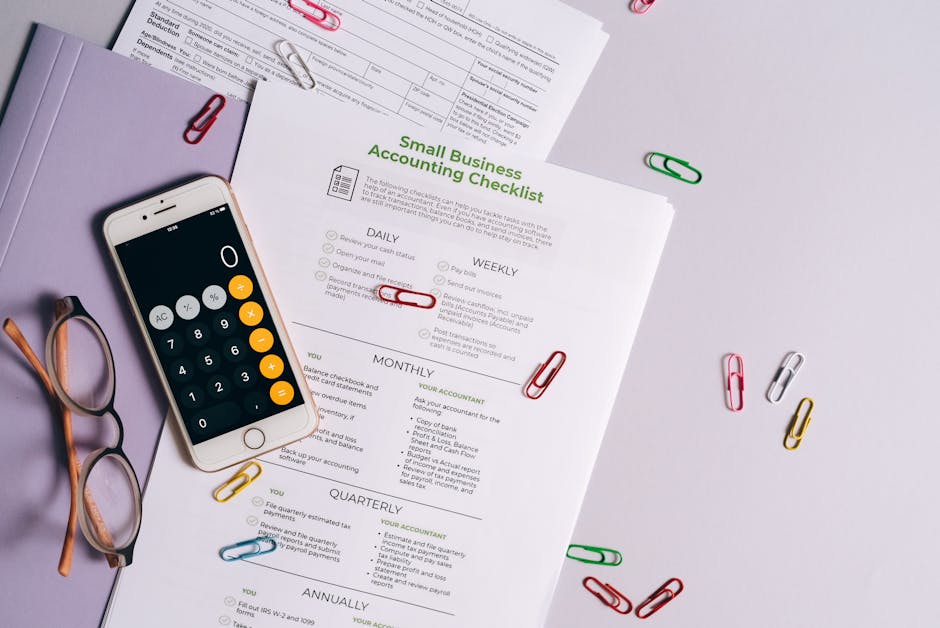
Start by listing every account and digital asset you own. This process typically takes 2 to 3 hours if you’re thorough, but it’s the foundation of your entire plan.
Your inventory should cover these categories:
- Financial accounts: Banks, investment platforms, PayPal, Venmo, and cryptocurrency exchanges
- Cryptocurrency: Hardware wallets, software wallets, seed phrases, and private keys
- Email and communication: Gmail, Outlook, work email, messaging apps
- Social media: Facebook, Instagram, LinkedIn, Twitter, TikTok
- Cloud storage: Google Drive, Dropbox, iCloud, OneDrive
- Media and subscriptions: Netflix, Spotify, Kindle, Audible, gaming accounts
- Professional accounts: Domain registrations, hosting services, business software
- Shopping and loyalty: Amazon, airline miles, hotel points, retail accounts
For each account, record the platform name, username or email address, and where you’ve stored the password. You don’t need to write passwords directly in your inventory document, just note their location (password manager, encrypted vault, or specific notebook). If you hold crypto assets, storing seed phrases securely requires extra attention because they can’t be recovered if lost.
Many people discover they have 80 to 120 accounts during this process. That’s normal. Focus on completeness over speed. You can always update the list later, which you should plan to do every 6 to 12 months as you open new accounts or close old ones.

Deciding What Happens to Each Account
Once you know what you have, decide what you want to happen to each account. Your options typically fall into four categories: transfer, memorialize, delete, or archive.
Transfer means giving someone full access to use or manage the account. This works well for financial accounts, domain registrations, or business tools that need ongoing management. Your executor logs in, changes the password, and either continues using the account or closes it properly. Cryptocurrency wallets fall into this category, though the technical process differs since you’re transferring access to private keys or seed phrases rather than traditional login credentials.
Memorialize preserves the account as a memorial without allowing active use. Facebook and Instagram offer memorial account status that keeps your profile visible but prevents new posts or login access. This option appeals to families who want to preserve your digital presence without pretending you’re still active on the platform.
Delete means permanently closing the account and removing all associated data. Many people choose this for dating apps, shopping accounts, or platforms they used casually. Be specific about deletion because some platforms make it difficult for executors to close accounts without clear written instructions from you.
Archive involves downloading all data from an account before closing it. Google Takeout, for example, lets you download years of Gmail, Photos, and Drive files. Your executor can save this data to external storage, preserving memories and important documents while closing the active account.
Document these decisions in writing. A simple spreadsheet works: account name, desired action, and any special instructions. For accounts with significant value or sentimental importance, add context about why you made that choice. This helps your executor understand your intent if they face unexpected complications.
According to a 2025 study by the Digital Legacy Association, 68% of Americans have no plan for their digital assets, and families spend an average of 47 hours attempting to access deceased relatives’ accounts without proper credentials or legal authorization.

Storing Access Information Securely
Your inventory and instructions have no value if your executor can’t access them when needed. This creates a specific security challenge: you need to keep credentials safe from unauthorized access while ensuring they’re available to the right person at the right time.
Password managers solve half the problem. Tools like 1Password, Bitwarden, or LastPass encrypt your passwords and let you designate an emergency contact who can request access. After a waiting period (typically 14 to 30 days), they receive your master password and can view your vault. This works well for standard accounts but has limitations for high-value assets like cryptocurrency.
Cryptocurrency requires a different approach because seed phrases grant immediate, irreversible access to funds. Seed phrase inheritance planning needs stronger protections than a simple password manager offers. You can’t rely on a waiting period when a single phrase gives someone complete control over potentially hundreds of thousands of dollars.
Vesperly Vault addresses this with zero-knowledge encryption combined with legal-gated access. Your seed phrases, passwords, and account information stay encrypted in a way that even Vesperly can’t read. The system monitors your activity through regular heartbeat checks (a simple monthly confirmation that you’re still active). If you stop responding, your designated executor must provide legal verification (death certificate and proof of executor status) before accessing your vault. This creates a two-layer security model: cryptographic protection plus legal verification.
Whatever storage method you choose, your executor needs three pieces of information:
- That the storage system exists and contains your digital estate plan
- How to access it (location of the master password, contact information for the service, or physical location of hardware)
- Legal authority to access it (documented in your will or trust)
Store this basic information with your other estate planning documents. Your attorney, executor, and at least one trusted family member should know where to find it. For a detailed comparison of storage options, see our guide to the best digital legacy planning services.

Updating Your Plan Over Time
Digital estate planning isn’t a one-time task. You open new accounts, close old ones, change passwords, and acquire new assets. Your plan becomes outdated within months if you don’t maintain it.
Set a recurring calendar reminder every 6 months to review your digital inventory. This 30-minute review should cover:
- New accounts opened since your last review
- Accounts you’ve closed or stopped using
- Changed passwords or security settings
- New cryptocurrency holdings or wallet addresses
- Updates to platform policies that affect account access
- Changes in who you want as your digital executor
Major life events trigger immediate updates. Getting married, divorced, having children, or experiencing the death of your designated executor all require reviewing your digital estate plan. If you acquire significant new crypto holdings or start a business with valuable digital assets, update your plan within 30 days.
Platform policies change too. In 2025, Google updated its inactive account policy to automatically delete accounts after 2 years of inactivity unless you’ve set up an Inactive Account Manager. Apple introduced Legacy Contact features that let you designate someone to access your iCloud data. These policy changes directly affect what your family can access, so staying informed matters.
The updating process should take less time than your initial inventory because you’re only noting changes, not cataloging everything from scratch. If updates consistently take more than an hour, your system is too complex and you should simplify it.

Legal Validity and State-Specific Rules
Digital estate planning sits at the intersection of technology and law, and the legal framework varies significantly by state. RUFADAA provides the baseline, but implementation details differ across jurisdictions.
Most states adopted RUFADAA between 2016 and 2024, but some modified key provisions. California’s version includes stronger privacy protections that limit what executors can access without explicit consent. Delaware’s version gives broader default access to fiduciaries. If you live in one state but own property or have significant assets in another, you may need to consider multiple jurisdictions’ rules.
Your will or trust should include specific language granting your executor authority over digital assets. Standard boilerplate language from 10 years ago often doesn’t cover digital assets explicitly. Work with an estate planning attorney to add a digital assets clause that references RUFADAA and lists the types of digital property you own.
Platform terms of service create another legal layer. Some services prohibit account access by anyone other than the original user, even with legal authority. Others require specific documentation or use proprietary processes for executor access. Facebook requires a death certificate and proof of executor status. Google’s Inactive Account Manager bypasses some of these requirements by letting you pre-authorize access, but you must set it up while alive.
The legal challenges multiply for cryptocurrency. Crypto inheritance creates unique tax implications that differ from traditional assets, and proving ownership of self-custodied wallets to courts can be complex if you haven’t documented them properly. Courts can’t compel a blockchain to transfer assets, they can only establish legal ownership and authorize your executor to use whatever access information you’ve provided.
Three legal documents work together for complete coverage:
- Your will or trust with digital assets language
- A power of attorney that includes digital asset management authority
- A separate digital assets memorandum (not legally binding in all states, but provides clear instructions)
Choosing and Preparing Your Digital Executor
Your digital executor manages your online accounts and digital assets after your death. This person needs different skills than a traditional executor who handles physical property and financial accounts.
Look for someone who is:
- Tech-savvy enough to navigate different platforms and security systems
- Trustworthy with sensitive information and valuable assets
- Organized enough to work through a detailed inventory systematically
- Patient enough to deal with platform customer service and verification processes
- Young enough that they’ll likely outlive you by a comfortable margin
Your digital executor can be the same person as your traditional executor, or you can split the roles. Some people choose a tech-savvy adult child as digital executor while naming a spouse or attorney as primary executor. This works if the two people communicate well and you’ve clearly defined which assets each person manages.
Once you’ve chosen someone, have a direct conversation with them. The digital estate planning conversation feels awkward at first, but it’s necessary. Walk them through your inventory, show them where you’ve stored access information, and explain any complex assets like cryptocurrency holdings. If you use Vesperly Vault or another digital legacy service, show them how it works and what they’ll need to do to access it.
Give your digital executor a summary document that includes:
- Location of your complete digital inventory
- How to access your password manager or encrypted vault
- Contact information for your attorney and key service providers
- Specific instructions for high-value or complex assets
- Your priorities (what should they handle first)
This conversation also helps you identify gaps in your plan. If you can’t explain how to access something in simple terms, your executor probably won’t figure it out under the stress of handling your estate. Simplify or document it better.
Frequently Asked Questions
What is digital estate planning?
Digital estate planning is the process of organizing your online accounts, digital assets, and access credentials so your designated executor can manage them after your death. It includes creating an inventory of all digital accounts, documenting your wishes for each account (transfer, delete, or memorialize), storing access information securely, and granting legal authority to your executor through your will or trust. This ensures your family can access important accounts, preserve valuable digital assets, and properly handle everything from email and social media to cryptocurrency and cloud storage.
What is included in digital estate planning?
Digital estate planning includes all password-protected accounts and digital assets you own: financial accounts and cryptocurrency wallets, email and messaging apps, social media profiles, cloud storage with photos and documents, subscription services, domain names and websites, gaming accounts, digital media libraries, and loyalty program points. It also covers the access credentials for these accounts (passwords, seed phrases, security keys), instructions for what should happen to each account, and legal documentation granting your executor authority to access them. The plan should include both the inventory of assets and the secure storage system that lets your executor retrieve access information when needed.
How do I create a digital estate plan?
Start by inventorying all your digital accounts and assets, which typically takes 2 to 3 hours. For each account, record the platform name, username, and where you’ve stored the password. Next, decide what should happen to each account (transfer, delete, memorialize, or archive) and document these instructions. Store your inventory and access credentials in a secure system like a password manager with emergency access or a specialized service like Vesperly Vault. Finally, update your will or trust to include digital assets language and name a digital executor. Review and update this plan every 6 months or after major life events.
What happens to digital assets when you die?
Without a digital estate plan, most accounts become inaccessible because your family doesn’t have passwords and platforms won’t grant access without proper legal authorization. Some platforms automatically delete inactive accounts after 2 years, while others preserve them indefinitely but lock out all access. Cryptocurrency in self-custodied wallets becomes permanently lost if no one has the seed phrase. With proper planning, your designated executor can use stored credentials and legal authority to access accounts, transfer valuable assets, preserve meaningful content, and close accounts according to your wishes. The process typically takes 20 to 40 hours of executor time spread over several months.
Do I need a digital executor?
Yes, you need someone with legal authority to manage your digital assets after your death. This can be the same person as your traditional executor or a separate individual with stronger technical skills. Without a designated digital executor named in your will or trust, your family has no legal authority to access most online accounts, even if they have passwords. Platform terms of service often prohibit unauthorized access, and RUFADAA (adopted by most states) only grants access to executors you’ve explicitly authorized. Choose someone tech-savvy, trustworthy, and patient enough to work through account verification processes with multiple platforms.
How do I store passwords for estate planning?
Store passwords in an encrypted system that balances security with eventual executor access. Password managers like 1Password or Bitwarden offer emergency access features that let designated contacts request access after a waiting period. For high-value assets like cryptocurrency, use zero-knowledge encryption with legal-gated access (like Vesperly Vault) that requires both cryptographic security and legal verification before releasing credentials. Never store passwords in plain text documents, unencrypted spreadsheets, or standard cloud storage. Your executor needs to know three things: that the password storage exists, how to access it, and that they have legal authority (documented in your will) to use it.
How much does digital estate planning cost?
Digital estate planning costs range from free to several hundred dollars depending on your approach. Creating your own inventory and using a password manager’s emergency access feature costs nothing beyond the password manager subscription (typically $36 to $60 per year). Specialized digital legacy services like Vesperly Vault cost $10 to $30 per month and add features like heartbeat monitoring and legal-gated access. If you work with an estate planning attorney to add digital assets language to your will, expect to pay $200 to $500 for the document updates. The total cost is minimal compared to the value of digital assets most people own and the time your family saves by having clear access instructions.
Ready to Get Started?
Digital estate planning protects your family from the confusion and legal complexity of accessing your digital life after you’re gone. The process takes a few hours of focused work, but it prevents dozens of hours of frustration for your loved ones and ensures valuable assets don’t disappear into permanently locked accounts.
Start with your inventory today. Open a spreadsheet and spend 30 minutes listing your most important accounts: email, banking, cryptocurrency, and social media. That simple first step makes everything else easier.
If you hold cryptocurrency or other high-value digital assets, consider a purpose-built solution that combines strong encryption with legal verification. Vesperly Vault uses zero-knowledge encryption and heartbeat monitoring to ensure your seed phrases and passwords reach your executor only after proper legal verification. Your family gets access when they need it, but your assets stay protected while you’re alive.
Visit vesperly.com to see how digital estate planning works when security and family access both matter. Your digital legacy deserves the same care you’ve given to building it.